Maintenance Simulators
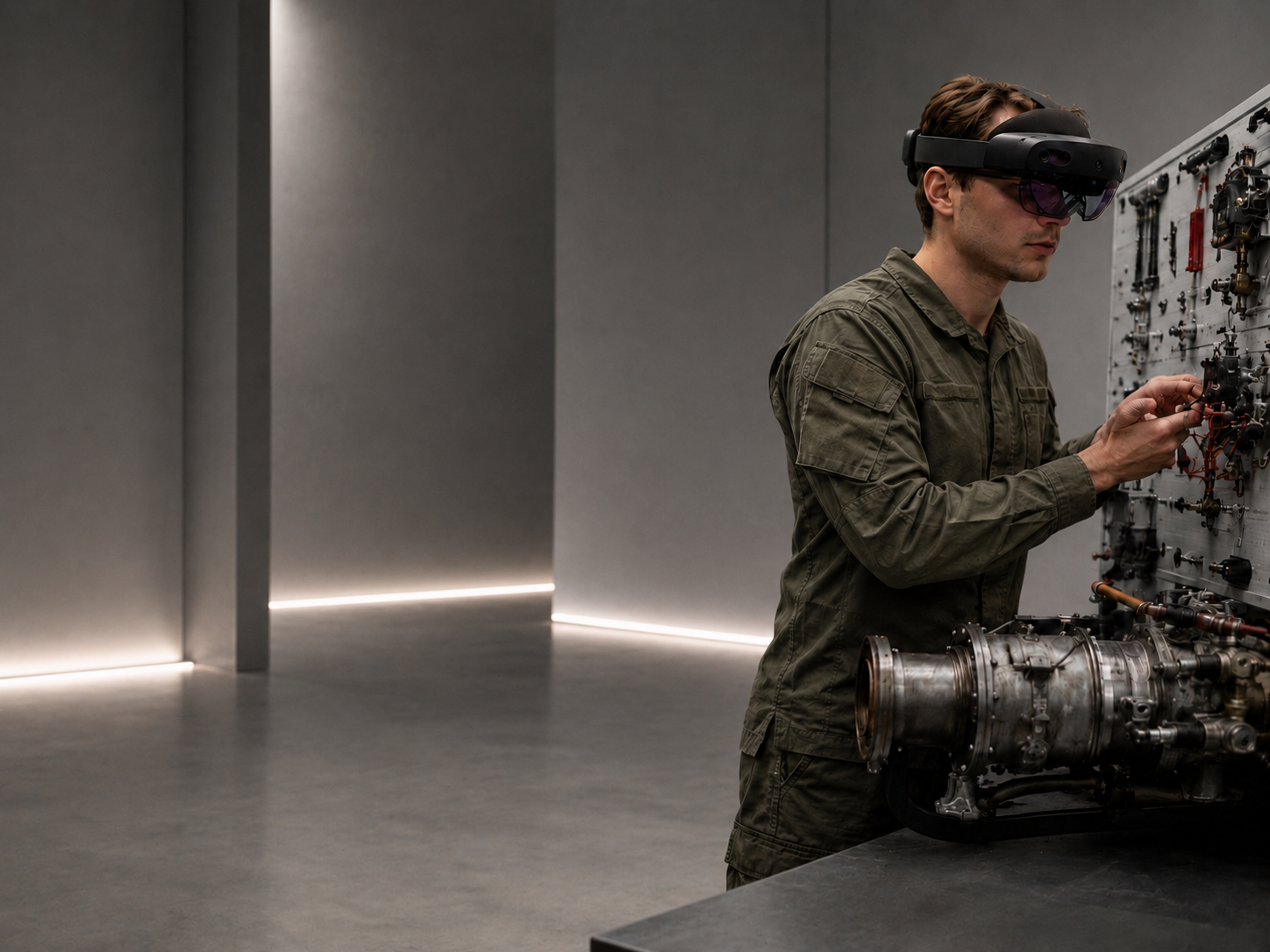
We design virtual and mixed-reality training environments for aircraft maintenance technicians, built on VR, MR, Digital Twin technology, technical documentation and artificial intelligence. Our maintenance simulators let you safely teach maintenance procedures, prepare personnel to work on real aircraft, and standardize training across the whole organization.
01 — Why now
Aviation needs faster, better technician training
New aircraft platforms, growing maintenance requirements and a limited pool of experienced technicians mean the classic training model no longer scales fast enough. At the same time, maintenance errors can lead to delays, equipment downtime and safety risks.
Maintenance simulators are becoming a tool for reducing errors, standardizing procedures and preparing personnel faster to work on real aircraft.
02 — What A&D maintenance simulators are
A virtual workshop for aircraft technicians
A&D Serwis maintenance simulators are training environments where a technician can practice maintenance procedures before working on a real aircraft. The system combines 3D models, digital twins, technical documentation, checklists, instructional videos, an exam mode and progress reporting.
We do not replace work on the aircraft. We prepare the technician so that stepping onto the real machine is safer, more informed and compliant with procedure.
03 — System architecture
Three levels: Environment, Executive Module, Data Module
Environment
A virtual work environment: hangar, maintenance station, aircraft, components, tools and safety zones.
Executive Module
Maintenance and product modules attached to the environment: a specific procedure, aircraft and technical specialty.
Data Module
The data layer: trainee progress, exam results, checklists, AI reports, recommendations and competency-gap analysis.
04 — What the system offers
Capabilities of the training system
Content and resources
- 3D models and a Digital Twin of the aircraft
- Instructional videos for selected tasks
- Support for PDF, CAD, video and 3D model content
- Simulations of failures and crisis situations
- Interactive animations of component operation
- 360° video material from maintenance processes
- A library of photos and recordings from technical inspections
- Case studies from real maintenance events
Training organization
- Separate views for student, instructor and supervisor
- Lesson mode, practice mode and exam mode
- Checklist based on technical documentation
- Check questions after each step
- Final report in PDF format
- Individual and team Multi-User VR training
- Path personalization by skill level
Supporting technologies
- AI for answer analysis and progress reporting
- Real-time remote expert support
- Integration with AR headsets for hangar work
- Integration with ERP and logistics systems
- Option to expand with a predictive maintenance module
05 — Who it's for
For organizations that train and retain technical personnel
Armed forces
Technician training for new and in-service aircraft platforms.
MRO and aviation facilities
Standardized procedures, faster onboarding, fewer maintenance errors.
OEM manufacturers
Digital training modules for users and service centers.
Aviation training centers
A modern learning environment aligned with aviation market requirements.
Special fleet operators
Military, police, rescue, SAR, HEMS aviation and government services.
06 — Technical specialties
Training by aviation specialty
- Airframe and engine
- Onboard equipment and installations
- Armament
- Radio and navigation equipment
- Scheduled maintenance
- Post-flight and pre-flight servicing
- Safety procedures
- Maintenance documentation and reporting
07 — Sample module
Mi-17 rotor hub maintenance
One example module is the maintenance procedure for the Mi-17 helicopter rotor hub. The trainee goes through initial training, a VR lesson, check questions and an exam. The system shows the tools, the sequence of steps, the required references to the technical data card and how to document results.
Steps in the module
- 01Health & safety, fire safety and environmental training
- 02Boarding the aircraft
- 03Lesson in the VR environment
- 04Procedure practice
- 05Exam with check questions
- 06AI report and recommendations
08 — Documentation protection
Technical documentation stays under the client's control
The system can run in a closed environment, on-premise or in a trusted cloud. Manufacturer documentation, CAD files, technical data cards and maintenance procedures are stored in the client's infrastructure. The application does not require publishing documentation externally. Access to content can be granted by role: student, instructor, supervisor, administrator.
- User roles and permissions
- Work on the client's own documentation
- Option for on-premise deployment
- Separation of the technology layer from technical content
- Access control for sensitive data
09 — Training quality
Measurable training, not just a VR demonstration
Each module can include checklists, check questions, progress validation, final reports and recommendations for further training. This gives the organization a complete training environment that supports oversight, standardization and competency development.
KPIs
- Lesson completion time
- Exam score
- Number of incorrect answers
- Areas requiring review
- Readiness to work on the real machine
- Instructor / AI recommendation
10 — Deployment process
From documentation to a finished simulator
01
Procedure analysis
Selecting the platform, component and documentation.
02
Content digitization
3D models, CAD, PDF, photos, videos, checklists.
03
Building the VR/MR module
Environment, lesson logic, interactions and user roles.
04
Validation with experts
Instructors and technicians verify compliance with the procedure.
05
Deployment and development
Module launch, reporting, further procedures.
11 — Product roadmap
From a single procedure to a nationwide training system
WZL ARForce can grow from individual maintenance procedures to a nationwide aircraft technician training system. The architecture allows further modules to be connected for various helicopter platforms, training aircraft, transport aircraft and new platforms entering service.
- Mi-17
- H145
- M-346
- AW-101
- AH-64
- Other military and civilian platforms
Let's talk
Let's build a maintenance simulator for your platform
Do you have documentation, procedures and a need to train technicians? A&D Serwis can prepare a VR/MR module, a Digital Twin and a complete training path for your aircraft or component.